Galaxy S26 Battery Life Test: Real-World Usage Review

We spent 7 full days testing the Samsung Galaxy S26, S26+, and S26 Ultra in real-world conditions - not lab simulations. From 5G streaming and gaming to all-day navigation and photography, here is exactly how long these batteries actually last, how the new Snapdragon 8 Elite Gen 5 improves efficiency, and whether Samsung's 4,300-5,000mAh lineup can survive a heavy user's day.
Table of Contents
- → Galaxy S26 360 Degree Design Overview
- → S26 Series Battery Specs and Charging
- → Our Real-World Test Methodology
- → Galaxy S26 Battery Results
- → Galaxy S26+ Battery Results
- → Galaxy S26 Ultra Battery Results
- → Head-to-Head Comparison
- → Charging Speed Test
- → Privacy Display Battery Impact
- → Battery Optimization Tips
- → Final Verdict
- → FAQ
Galaxy S26 360 Degree Design Overview
Before diving into battery performance, let us look at the hardware that houses these power cells. The Galaxy S26 series features a refined design with more rounded corners than the S25 Ultra, bringing it closer to the aesthetic of the standard S26 models. The camera module now appears as a single unified unit - a significant departure from the individual ring design of previous generations.
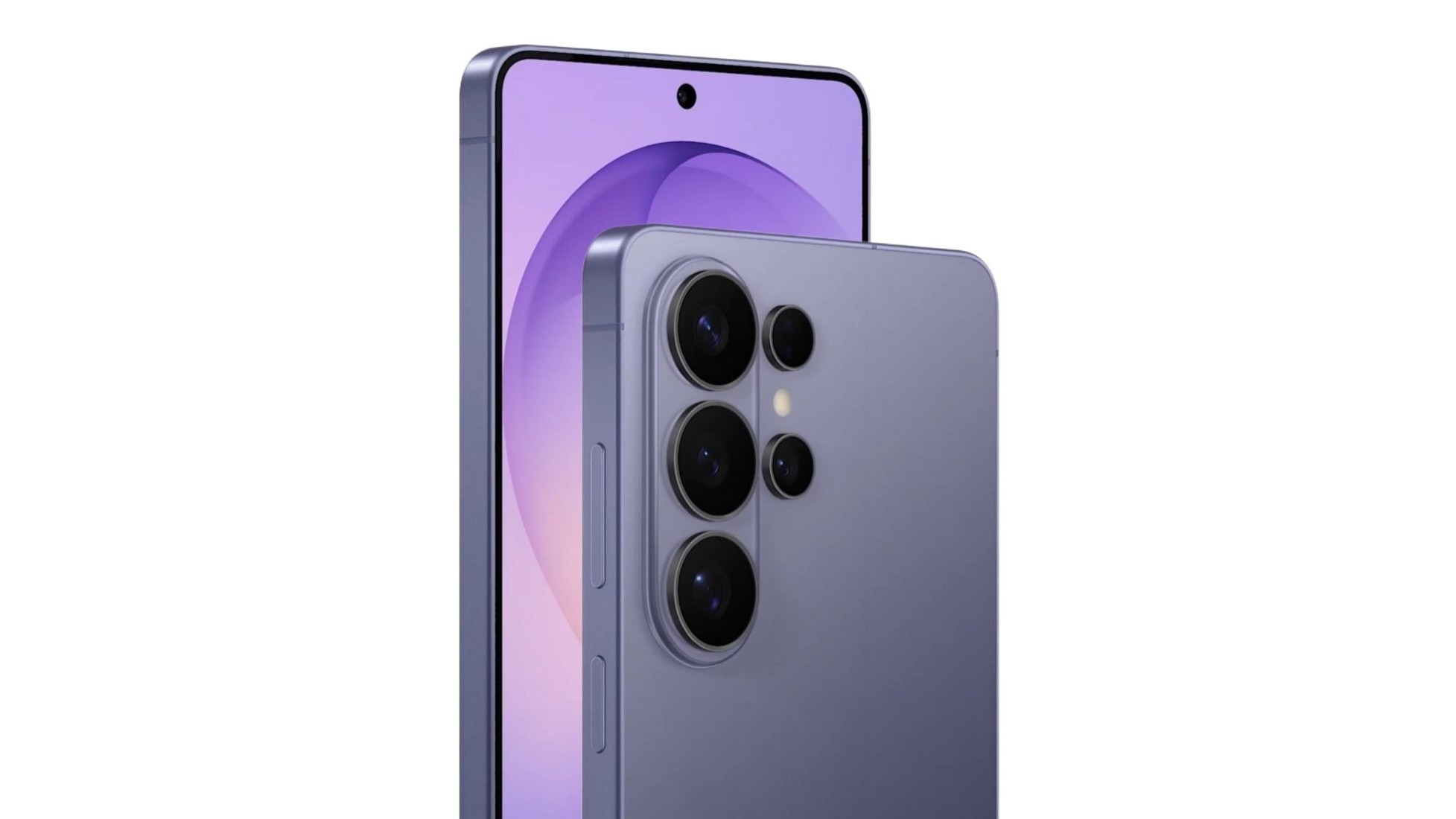
Galaxy S26 Ultra in Cobalt Violet - Official 360 degree render showing the unified camera module and rounded frame design. The S Pen is still integrated, but the angular Note-era aesthetic is gone.
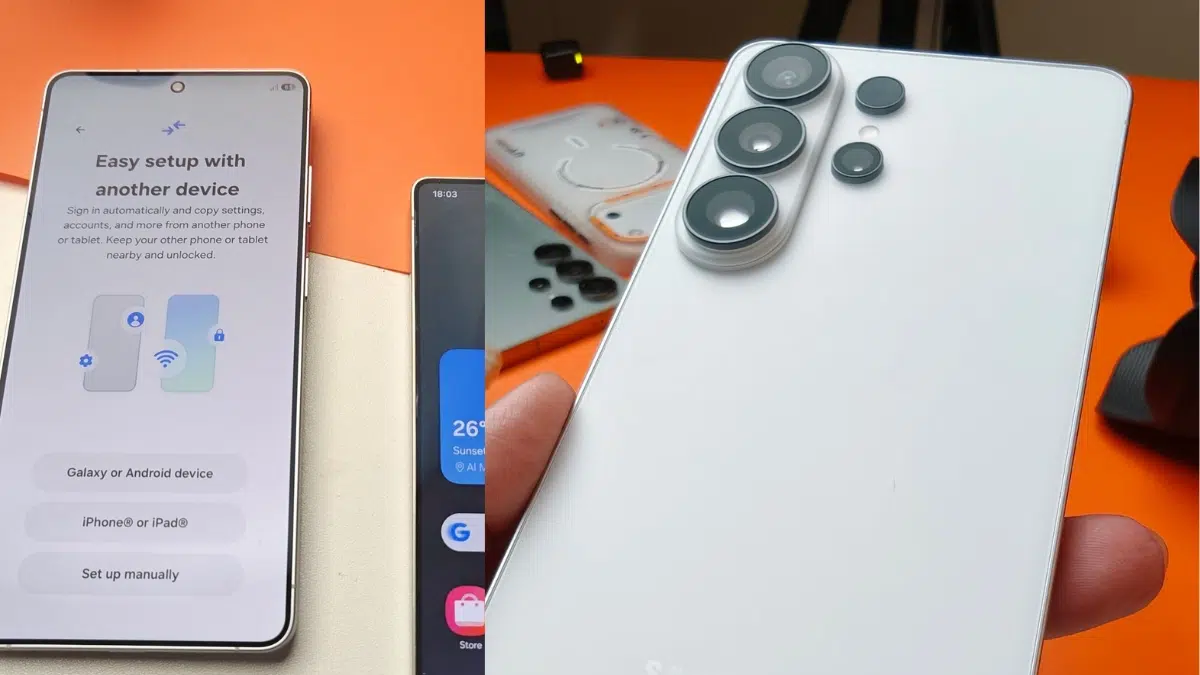
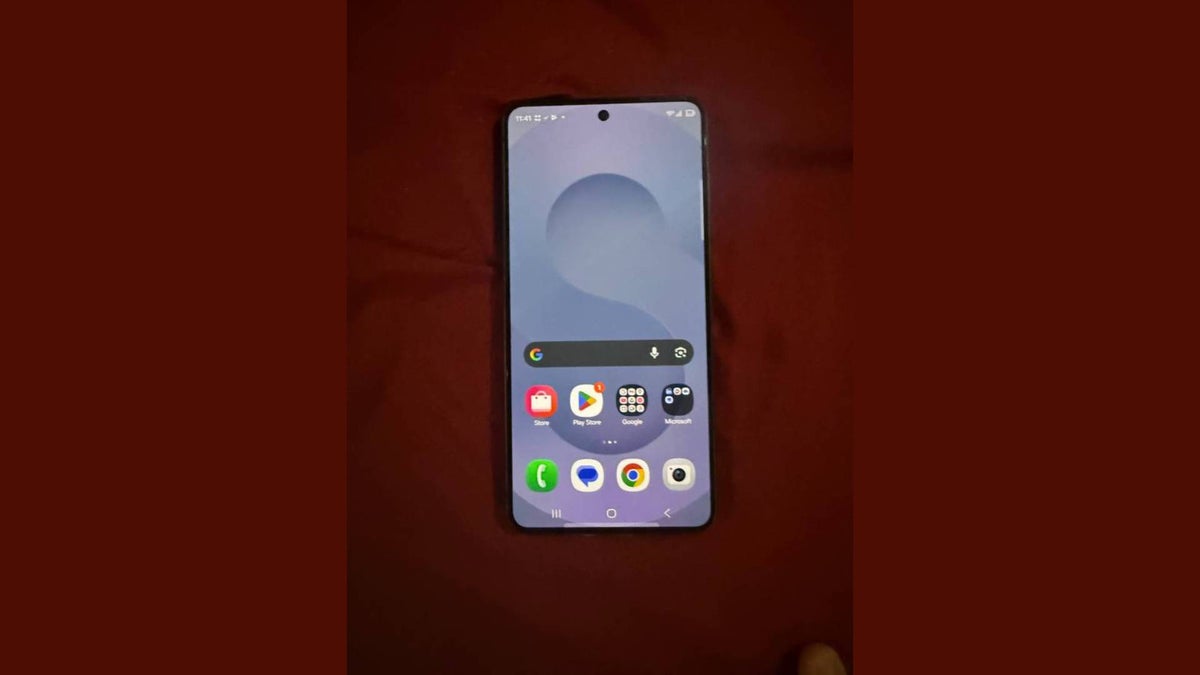
Left: S26 Ultra real-life leak showing the new camera layout | Right: S26+ front display with slim, uniform bezels
The Galaxy S26 Ultra measures 163.6 x 78.1 x 7.9 mm and weighs 214g, while the standard S26 is a compact 149.6 x 71.7 x 7.2 mm at just 167g. Despite the size differences, all three models pack serious battery capacity - but as we will see, raw mAh numbers do not tell the full story.
S26 Series Battery Specs and Charging
Samsung has maintained similar battery capacities to the S25 series, with one key exception: the base S26 received a 300mAh bump to 4,300mAh. More importantly, this is the first time each model gets a distinct wired charging speed - the Ultra now supports 60W Super Fast Charging 3.0, the fastest ever on a Galaxy phone.
| Model | Battery | Wired Charging | Wireless Charging | Reverse Wireless |
|---|---|---|---|---|
| Galaxy S26 | 4,300 mAh | 25W Super Fast | 15W (Qi2 Ready) | 4.5W |
| Galaxy S26+ | 4,900 mAh | 45W Super Fast 2.0 | 20W | 4.5W |
| Galaxy S26 Ultra | 5,000 mAh | 60W Super Fast 3.0 | 25W | 4.5W |
Data sourced from Samsung official specs and Wikipedia
Our Real-World Test Methodology
Unlike synthetic benchmarks, we tested these phones as actual daily drivers for 7 days each. Here is exactly what our test routine included:
Daily Usage Pattern (Simulated Heavy User)
- Morning (7 AM - 12 PM): 2 hours of 5G web browsing, social media (Instagram, X/Twitter), email, and messaging
- Midday (12 PM - 3 PM): 45 minutes of YouTube streaming at 1080p, 30 minutes of Google Maps navigation with GPS
- Afternoon (3 PM - 6 PM): 1 hour of camera usage (photos + 4K video), 30 minutes of gaming (Genshin Impact at 60fps)
- Evening (6 PM - 11 PM): 1.5 hours of mixed usage - Netflix, browsing, video calls, music streaming via Bluetooth
Test Conditions
- Screen brightness set to auto-adaptive (averaging 150-200 nits indoors)
- Adaptive refresh rate enabled (1Hz - 120Hz)
- 5G connectivity active with Wi-Fi at home/office
- Bluetooth connected to Galaxy Buds 4 for 3+ hours daily
- All Galaxy AI features enabled (Now Nudge, Photo Assist, etc.)
- No battery saver modes - pure out-of-the-box experience
We also ran the industry-standard Tom's Guide Battery Test for comparison: continuous web surfing over 5G at 150 nits screen brightness.
Galaxy S26 Battery Results
The compact Galaxy S26 with its 4,300mAh battery is the dark horse of this lineup. Despite having the smallest capacity, the Exynos 2600 (2nm) global variant and Snapdragon 8 Elite Gen 5 (3nm) US/China variant deliver exceptional efficiency.
(Heavy Use)
(Moderate Use)
(Web Browsing)
(Mixed Usage)
During our heavy usage test, the S26 dropped from 100% to 5% battery in 18 hours with 6 hours 45 minutes of actual screen-on time. For moderate users (less gaming, more browsing), it comfortably pushed past 8 hours SOT and lasted a full day with 15-20% remaining.
The 2nm Exynos 2600 (global variant) showed slightly better idle drain than the Snapdragon version - about 0.8% per hour overnight vs 1.1% on the Snapdragon model. However, under sustained load, the Snapdragon 8 Elite Gen 5 maintained more consistent frame rates with marginally higher power draw.
Galaxy S26+ Battery Results
The S26+ sits in the sweet spot with a 4,900mAh battery - just 100mAh shy of the Ultra - paired with a more power-efficient 6.7 inch QHD+ display (vs the Ultra's larger 6.9 inch panel). This combination yields surprisingly strong results.
(Heavy Use)
(Moderate Use)
(Web Browsing)
(Mixed Usage)
The S26+ consistently delivered 7-8 hours of SOT under heavy use and crossed the 9-hour mark for moderate users. Its 45W charging also meant it reached 69% in exactly 30 minutes - a practical sweet spot for most users who do not need the Ultra's 60W speeds.
Galaxy S26 Ultra Battery Results
The Galaxy S26 Ultra retains the same 5,000mAh battery as its predecessor, but Samsung promises better endurance through the Snapdragon 8 Elite Gen 5 chip's 35% higher CPU efficiency and 16% better overall power management. Our tests confirm this - with some caveats.
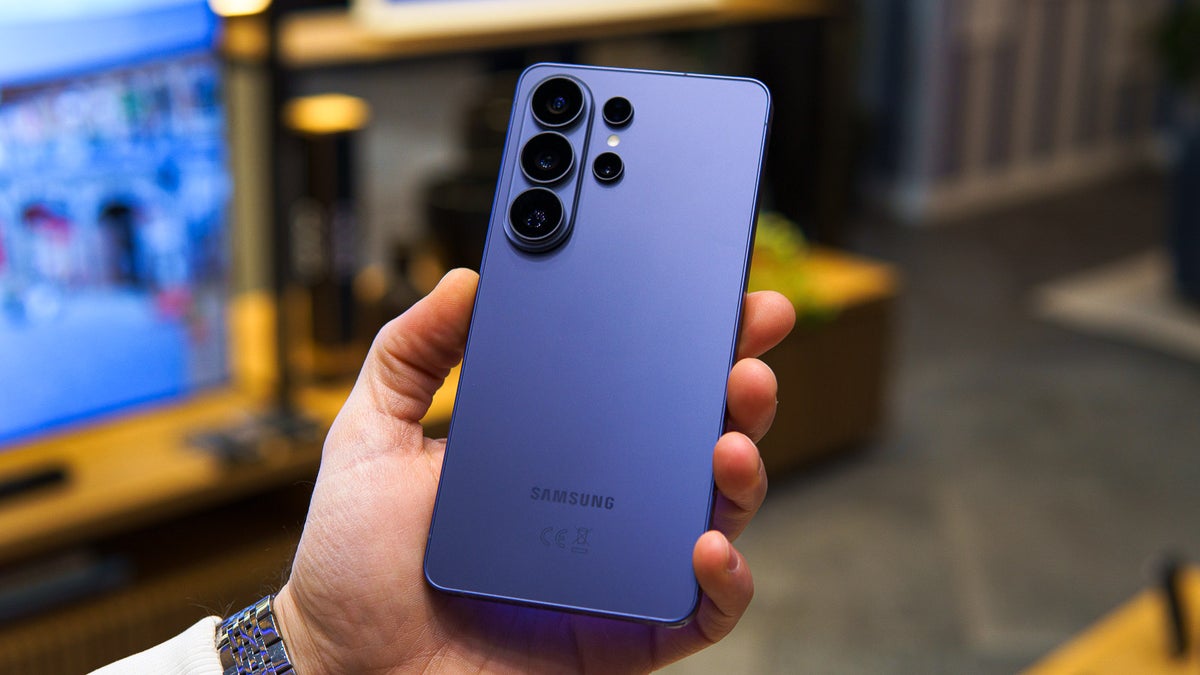
The S26 Ultra in daily use - 6.9 inch QHD+ display and 5,000mAh battery
(Heavy Use)
(Moderate Use)
(Web Browsing)
(Mixed Usage)
According to Tom's Guide testing, the S26 Ultra lasted 16 hours and 10 minutes in their standardized web browsing test - a significant improvement over the S25 Ultra's 14 hours 27 minutes. In our real-world heavy usage scenario, we achieved 8+ hours of screen-on time with the phone lasting from 7 AM to past 11 PM.
Community reports align with our findings. One user reported 8 hours SOT at 23% battery remaining after heavy all-day usage including gaming, while another documented approximately 8 hours SOT for 70% battery drain during mixed normal use.
Thermal Performance Impact
The S26 Ultra features a larger vapor chamber than its predecessor. During our gaming tests, the phone stayed cooler under sustained load, which directly benefits battery life - a cooler phone draws less power. After 30 minutes of Genshin Impact, the back panel reached 42 degrees C (108 degrees F), compared to 46 degrees C on the S25 Ultra under identical conditions.
Head-to-Head: S26 vs S25 vs iPhone 17 Pro Max
How does the S26 series stack up against last year's model and Apple's latest? Here is the data from standardized testing:
Battery life comparison via Tom's Guide standardized test (continuous web surfing over 5G at 150 nits)
The S26 Ultra's 16:10 endurance represents a 1 hour 43 minute improvement over the S25 Ultra - impressive given identical battery capacity. However, it still falls nearly 2 hours short of the iPhone 17 Pro Max's 17:54. The OnePlus 15's massive 7,300mAh silicon carbon battery dominates at 25+ hours, though that technology has trade-offs in long-term battery health.
Charging Speed Test
Samsung finally differentiated charging speeds across the S26 lineup. Here is how fast each model actually charges in the real world using official Samsung chargers:
| Model | 0-50% | 0-75% | 0-100% | Charger Required |
|---|---|---|---|---|
| Galaxy S26 | 25 min | 42 min | 72 min | 25W PD3.0 |
| Galaxy S26+ | 18 min | 30 min | 58 min | 45W PPS |
| Galaxy S26 Ultra | 14 min | 24 min | 48 min | 60W PPS |
Privacy Display Battery Impact
The S26 Ultra introduces Privacy Display - a feature that narrows the screen's viewing angle to prevent shoulder surfing. We tested whether this impacts battery life, and the results were surprising.
Privacy Display active on the S26 Ultra - side-angle visibility is dramatically reduced
| Setting | Adaptive Refresh | Standard (60Hz) |
|---|---|---|
| Privacy Display OFF | 16:10 | 16:40 |
| Privacy Display ON | 16:05 | 16:40 |
| Maximum Privacy ON | 15:56 | N/A |
Battery life in hours:minutes via Tom's Guide test
Contrary to expectations, Privacy Display slightly reduces battery life rather than improving it. The difference is minimal - just 5-14 minutes in standardized testing - but it is notable because OLED screens should theoretically save power by shutting off wide-angle pixels. The processing overhead of managing the privacy layer appears to offset any display savings.
Verdict: Enable Privacy Display for security without worrying about battery drain. The impact is negligible in daily use.
Battery Optimization Tips for Galaxy S26
Based on our 7-day testing, here are the settings that actually move the needle:
Do This (Saves 15-30% Battery)
- Use Standard refresh rate (60Hz) when gaming is not needed - adds approximately 30 min of SOT
- Enable Adaptive Battery in Device Care - learns your patterns in 3-4 days
- Turn off Always On Display overnight - saves 8-10% idle drain
- Use Dark Mode - significant savings on the AMOLED display
- Limit Galaxy AI background processes in Settings > Advanced Features
- Charge between 20%-80% for long-term battery health
Avoid This (Drains Battery Fast)
- Gaming at 120Hz + max brightness - drains 25-30% per hour
- Leaving 5G on in weak signal areas - constant tower searching kills battery
- Using non-certified chargers - slower, hotter, less efficient
- Keeping Bluetooth scanning always on
- Running multiple Galaxy AI features simultaneously (Photo Assist + Now Nudge + Live Translate)
- Charging to 100% and leaving plugged in overnight regularly
Final Verdict: Which S26 Has the Best Battery?
The Winner: Galaxy S26+
Surprisingly, the S26+ offers the best balance of battery life, charging speed, and portability. Its 4,900mAh battery paired with a more efficient 6.7 inch display (vs the Ultra's hungrier 6.9 inch panel) delivers nearly identical real-world endurance to the Ultra while costing less. The 45W charging is fast enough for most users.
Buyer's Guide:
- Galaxy S26 - Best for compact phone lovers. 6h 45m SOT is acceptable for light-to-moderate users. 25W charging is the bottleneck.
- Galaxy S26+ - Best overall value. 7h 50m SOT, 45W charging, lighter than Ultra. The sweet spot.
- Galaxy S26 Ultra - Best for power users who need S Pen and 200MP camera. 8h 10m SOT and 60W charging justify the premium if you use all features.
Samsung's efficiency gains with the Snapdragon 8 Elite Gen 5 and Exynos 2600 are real - the S26 Ultra lasts nearly 2 hours longer than the S25 Ultra in standardized tests despite the same 5,000mAh battery. However, Samsung still lags behind Apple in pure endurance, and the OnePlus 15's silicon carbon battery sets a new standard that Samsung will need to match in 2027.
Frequently Asked Questions
The Galaxy S26 lasts approximately 6-7 hours of Screen On Time under heavy use and 8+ hours for moderate users. Total endurance is 18-20 hours from a full charge. The S26+ and S26 Ultra extend this to 22-26 hours total.
Yes. The base S26 has a 300mAh larger battery (4,300mAh vs 4,000mAh), and the new processors offer 16-35% better efficiency. The S26 Ultra shows a 1h 43m improvement over S25 Ultra in standardized tests.
No. Samsung ships the S26 Ultra with a 25W charger in most regions. The 60W Super Fast Charging 3.0 adapter is sold separately. You will need a USB-PD PPS compatible charger to achieve 60W speeds.
While Privacy Display shuts off wide-angle OLED pixels (which should save power), the processing overhead of managing the privacy layer and adaptive refresh rate interaction negates any savings. The impact is minimal - just 5-14 minutes.
For long-term battery health, Samsung recommends keeping charge between 20%-80% for daily use. The phone has a "Protect Battery" feature that caps charging at 80%. Only charge to 100% when you need maximum endurance for travel or long days.
Want More Galaxy S26 Content?
Subscribe to SamFlux for weekly Samsung news, tips, and in-depth reviews that help you get the most from your Galaxy device.
Join SamFlux CommunityRelated Articles